
Capture and import leads
Create company and contact records or import Excel and CSV leads. Review column matching, validation and duplicate checks before saving new records.
Leads, quotations & follow-up
V-CRM connects leads, opportunities, quotations, follow-ups and payment records, keeping the customer journey together from the first enquiry to an accepted offer and customer purchase order.
Request a demo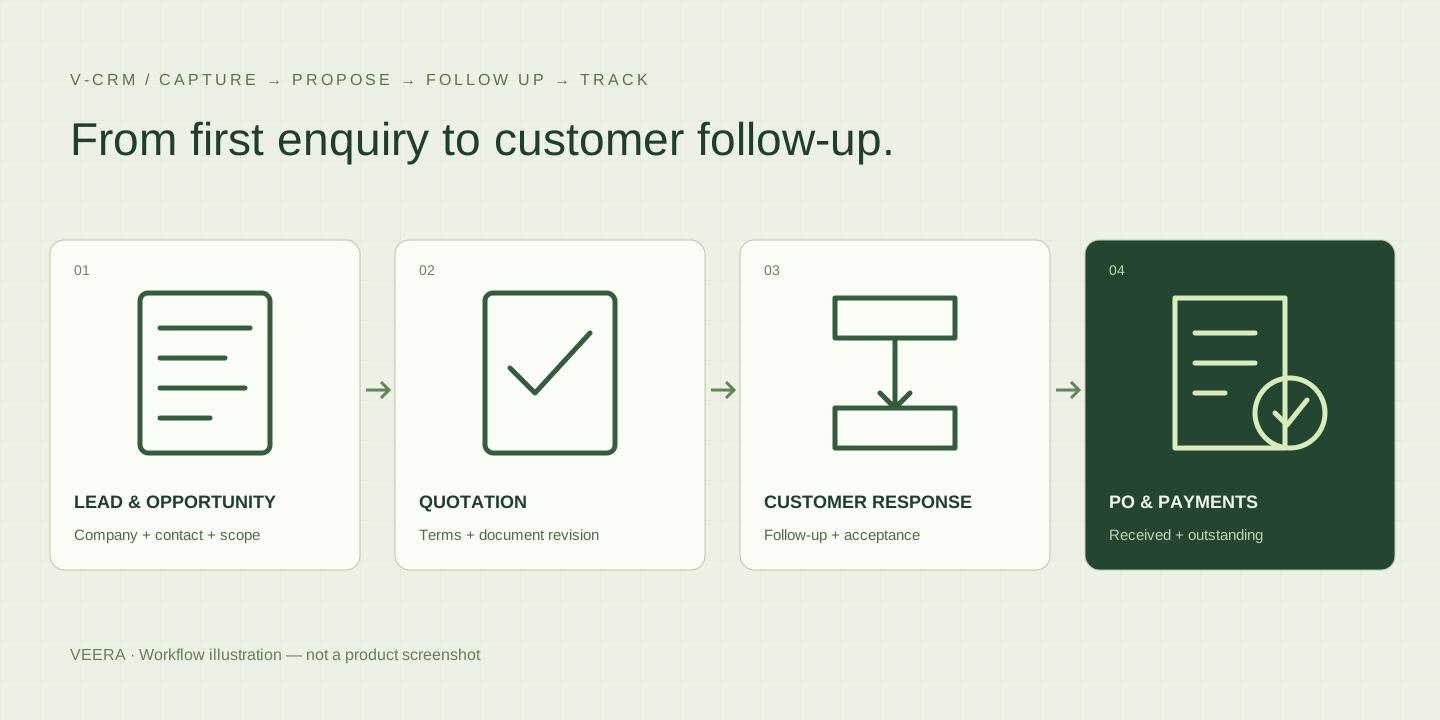
WHO IT IS FOR
For sales and business development teams managing company relationships, proposals, customer responses and collection follow-ups.
Customer details, quotation versions and follow-up notes often sit in separate inboxes and spreadsheets. V-CRM keeps them against the same company record so the team can see the next action and the history behind it.
SOLUTION SCOPE
Create company and contact records or import Excel and CSV leads. Review column matching, validation and duplicate checks before saving new records.
Record multiple opportunities for a company, each with its requirements, proposed solution and status. Keep new sales discussions connected to the existing relationship.
Build quotations with line items, commercial terms and authentic signatory details. Preview or download PDFs; issued documents retain their snapshots and revisions receive new references.
Record follow-ups and client responses. Send quotation emails through configured SMTP with editable recipients and formatted messages, or record actual external delivery with supporting comments.
Link customer purchase orders to accepted quotations, attach PO documents and record payments received. Retain corrections and void reasons while reviewing outstanding amounts separately by currency.
Use dashboard reminders, quotation status charts and CSV reports to review leads, conversions, POs and collections. Figures come from saved records, with currency amounts kept separate.
HOW IT WORKS
Create or import a lead and record the opportunity.
Prepare, review and issue a quotation.
Record communication and the customer’s response.
Link the accepted offer to POs and received payments.
Workflow, supported features and deployment requirements are agreed for your implementation.
PLAN YOUR DEMONSTRATION
Take a lead through an opportunity, quotation, revision and confirmed acceptance. Add a customer PO and a received payment, then review follow-up reminders, document history and outstanding amounts.
Yes. Excel and UTF-8 CSV imports provide column mapping, preview, validation and duplicate review before confirmation. Existing company records are not overwritten by the import.
An explicitly confirmed acceptance converts the same company record to Customer. Its history remains available, and a customer PO and received payments can be recorded against the accepted quote.
Issued quotations retain their original document and client/signatory snapshots. Changes use a new revision with a new reference linked to the earlier quotation. Unsent, unlocked drafts can be edited.
Quotation delivery uses a configured SMTP connection and user-controlled sending. SMTP acceptance does not guarantee inbox delivery. Uncertain sends need reconciliation before retrying; dashboard reminders do not require a scheduler.
It records received payments and outstanding PO amounts for follow-up. It does not itself collect payments or replace the accounting system.
The supplied application supports a small administrator team. Discuss user access, expected volumes, hosting, backup and email requirements before a wider deployment.
DISCUSS YOUR REQUIREMENTS
Share your process, current systems and priorities. Talk to VEERA