
Register every visit
Visitors register on their own phones with details, photo and declaration. Schedule visits ahead of time and share a private invitation link to complete registration.
Visitor registration & access records
V-GATE is VEERA’s mobile-first visitor and gate management application for industrial workplaces, connecting registration, approval, QR passes, entry, exit and audit records.
Request a demo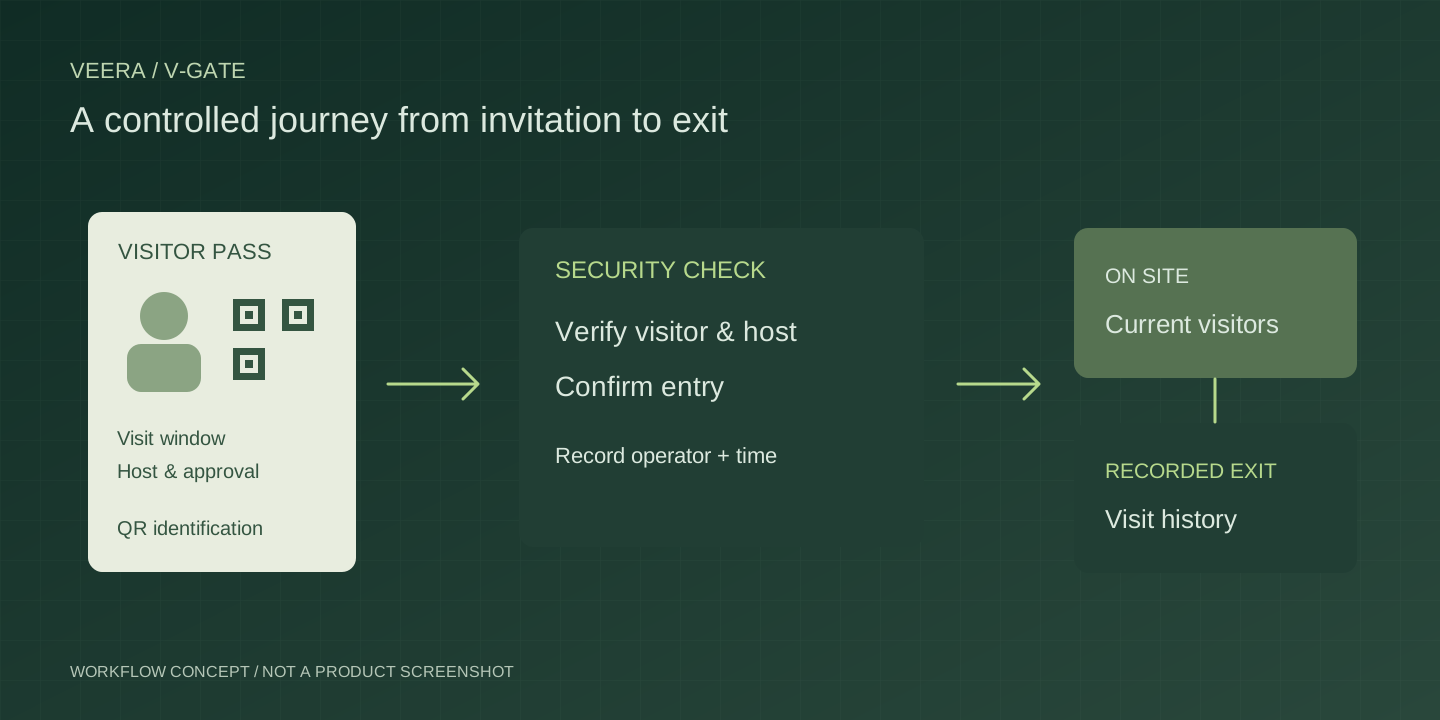
WHO IT IS FOR
For administrators, reception and security teams handling scheduled visitors, walk-ins and gate exceptions.
Paper registers and disconnected approvals make it difficult to know who is expected, who is inside and whether a visit is authorized.
SOLUTION SCOPE
Visitors register on their own phones with details, photo and declaration. Schedule visits ahead of time and share a private invitation link to complete registration.
Administrators review requests and visit windows before issuing a QR gate pass. Visitors can view their approval status and save, share or print their pass.
Security scans the QR on a phone or tablet, checks the visitor photo and host, and confirms entry or exit. Each movement records the operator and timestamp.
Review today’s movements, scheduled arrivals and visitors currently inside, including overnight visits. Security gets a dedicated workspace for everyday gate operations.
Security can raise high-priority concerns for administrators. Replies, pass reissues and movement corrections stay connected to the concern, with reasons and audit history.
Filter visits by date, department, visitor type, company, status and host. Export CSV or Excel reports, and configure company branding, departments and visitor rules.
HOW IT WORKS
Capture visit details or send a scheduled invitation.
Review the request and issue the QR gate pass.
Check the pass, visitor and host before recording entry.
Record departure and review the visit history.
Workflow, supported features and deployment requirements are agreed for your implementation.
PLAN YOUR DEMONSTRATION
Follow a scheduled visitor and a walk-in from registration to exit. Check approval, QR verification, current visitors, rejected or expired passes and the handling of movement corrections.
Yes. The dedicated Security workspace supports phones and tablets, with QR scanning, visitor verification, entry and exit confirmation, today’s movements and gate concerns. Camera scanning requires HTTPS and camera permission.
Yes. Walk-in visitors register through the registration QR and await administrator approval. Scheduled visitors receive a private invitation link and complete the required photo and declaration before entry.
No. Scanning opens the verification screen. Security checks the visitor details and explicitly confirms entry or exit. Pass status, validity and registration completion are checked before admission.
Security raises a concern for administrators, even when a QR cannot be read. Administrators can reply, reissue a pass or correct movement records with a reason. The audit trail retains the actor, timestamps and before-and-after values.
External messaging and hardware gate integrations are not included in the current version. In-app notifications and manual pass sharing are available. Any external integration needs separate scoping.
The current application serves one company/site with administrator, Super Admin and Security access. Discuss visitor volumes, departments, hosting, device access and reporting requirements with VEERA to define your deployment.
DISCUSS YOUR REQUIREMENTS
Share your process, current systems and priorities. Talk to VEERA