Sales and purchasing
Manage enquiries, quotations, sales orders, purchase requests and purchase orders. Link commercial documents and retain copy and revision history.
Orders, operations & approvals
V-ERP connects commercial, operational and employee workflows, bringing quotations, orders, purchasing, processing, stock and dispatch into one shared business record.
Request a demo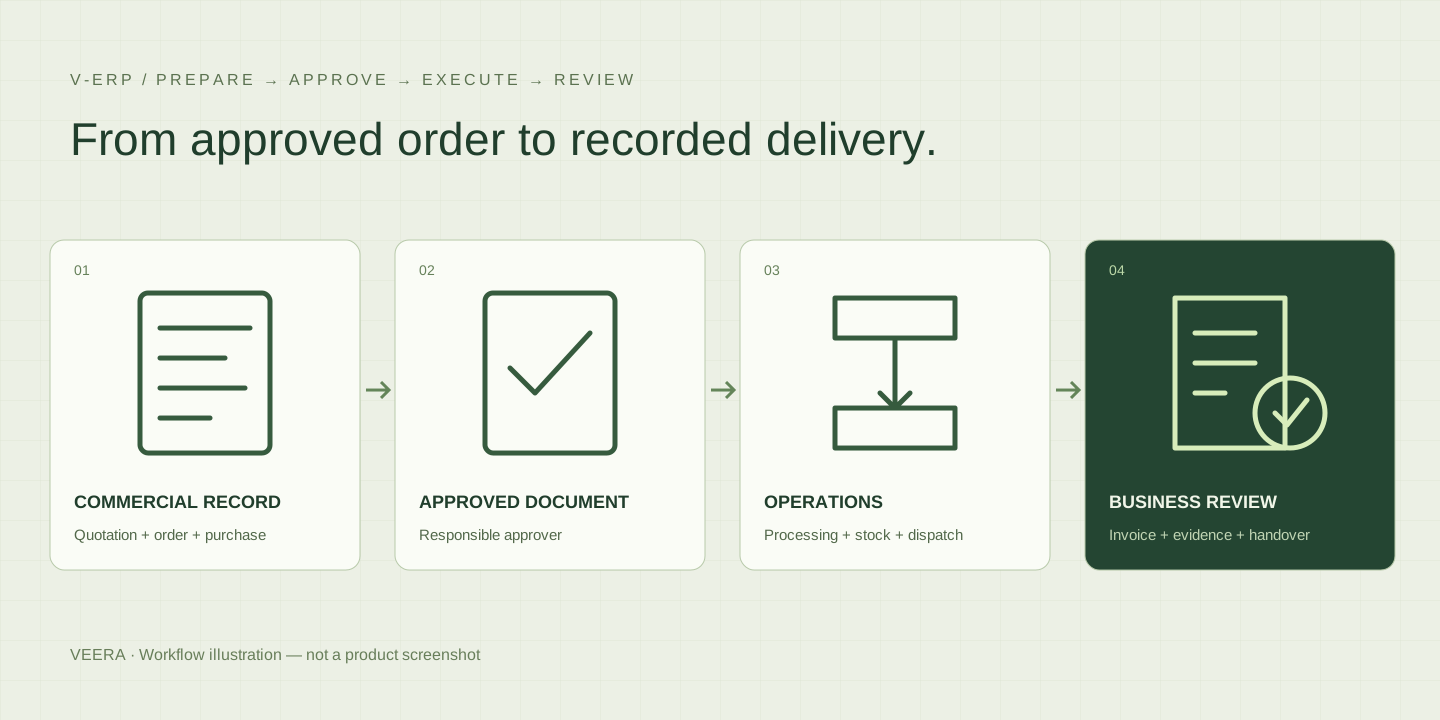
WHO IT IS FOR
For sales, purchasing, operations, dispatch, Finance and management teams coordinating business work across departments.
When each team keeps its own spreadsheet, an approved order can lose its context between purchasing, processing and dispatch. V-ERP links documents, quantities, approvals and evidence so teams can follow the work.
SOLUTION SCOPE
Manage enquiries, quotations, sales orders, purchase requests and purchase orders. Link commercial documents and retain copy and revision history.
Create processing jobs from approved orders, define stages and record confirmations, quantities, evidence and follow-ups. Add rework as a new stage while retaining completed records.
Record confirmed material movements in a custody stock ledger. Follow shipments through approval, dispatch and delivery, with checks on partial shipment and invoice allocations.
Create invoice records and PDFs with branch-specific numbering and issue locks. Prepare INR invoice XML and ledger mappings for a separately validated Tally handover.
Maintain employee records, attendance, leave and salary structures. Prepare payroll for Finance review and separate Management approval before locked payslips are produced.
Use role and organizational scope, maker-checker approvals, audit history and private evidence attachments. Search master records and export permitted lists for review.
HOW IT WORKS
Create masters, quotations, orders and purchase requests.
Review documents with the responsible approver.
Record processing, material movements and dispatch.
Check invoices, evidence and accounting handover.
Workflow, supported features and deployment requirements are agreed for your implementation.
PLAN YOUR DEMONSTRATION
Follow a representative order through approval, processing, stock movement, dispatch and invoice preparation. Review exceptions and permissions, then agree the production validation and acceptance work needed for your organization.
V-ERP manages business workflows and their records. V-INTEGRA focuses on exchanging agreed data between an ERP and a manufacturing execution system. Integration scope and compatibility are assessed separately.
The supplied build is a development/demo application with locally exercised workflows. Production deployment, database concurrency, security configuration and customer acceptance still require validation before go-live.
The current build includes INR invoice XML export, ledger mapping, a labeled sandbox and an outbound agent. Live posting has not been verified against a customer Tally company. Accounting remains authoritative in Tally.
No statutory compliance certification is claimed. Invoice formats, tax treatment and payroll rules require customer-specific review and validation before operational use.
Yes. Use a demonstration to agree the initial modules, roles, approval steps and reporting needs. A representative order should be followed through execution, dispatch and the accounting handover before expanding scope.
DISCUSS YOUR REQUIREMENTS
Share your process, current systems and priorities. Talk to VEERA