Create industrial identities
Create or import item and material records with department access controls. Keep identity, status and event history together.
Identification & label control
V-QR connects industrial identification, approved label designs, print queues and validated scans in one department-controlled workspace.
Request a demo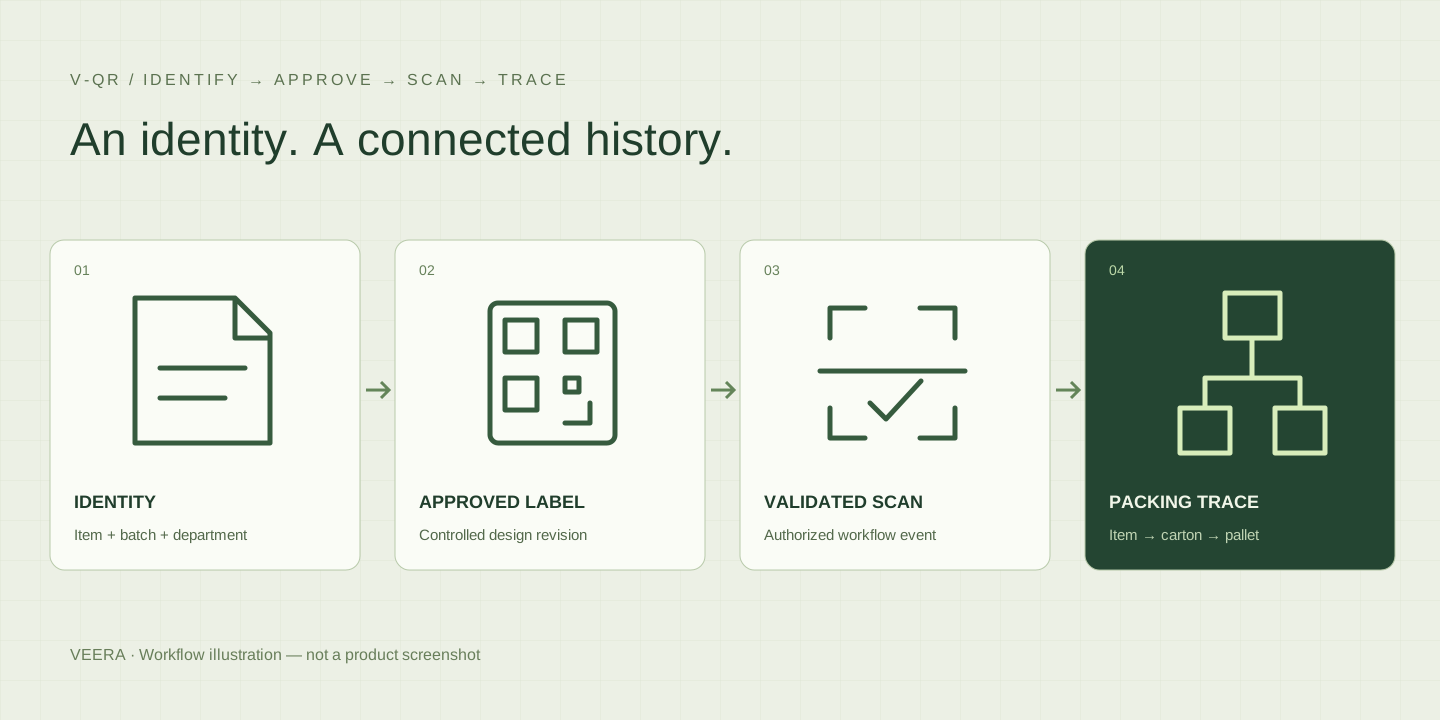
WHO IT IS FOR
For production, quality, warehouse and dispatch teams managing identities, labels and packing records.
A readable label is only the start. Teams also need to know which record it identifies, which label revision was approved and how an item relates to its carton or pallet.
SOLUTION SCOPE
Create or import item and material records with department access controls. Keep identity, status and event history together.
Prepare QR, barcode and DataMatrix layouts, review label revisions and export print-ready output. 3D QR mesh exports support separate fabrication trials.
Resolve a code to its authorized record, validate the expected workflow and record the event. Camera support depends on the browser; keyboard scanners and manual entry are alternatives.
Connect items, cartons and pallets so teams can investigate the recorded packing genealogy and handovers.
Review queued jobs and browser/PDF output. Network and Windows printer adapters require explicit enablement and qualification with the actual printer and media.
Use operational reports and secured REST interfaces to work with identification records. The built-in assistant uses deterministic application logic.
HOW IT WORKS
Create the record and its unique identity.
Review the label design and print revision.
Validate the code and record the workflow event.
Follow the recorded packing and movement history.
Workflow, supported features and deployment requirements are agreed for your implementation.
PLAN YOUR DEMONSTRATION
Choose one product and one packing flow. Test label readability, approval, printing and authorized scanning, then reconstruct the item-to-carton-to-pallet history.
It links the code to an industrial record, access permissions, label approvals, scans and packing relationships. Generating the graphic is one part of that workflow.
PDF/browser output is available. RAW ZPL, TSPL, EPL and Windows printing must be enabled and tested with your printer, driver, resolution and label size.
No. It records a specific event. Traceability depends on the identities and handovers your team captures.
The current application has a deterministic assistant and does not require a cloud AI service for its core workflows.
DISCUSS YOUR REQUIREMENTS
Share your process, current systems and priorities. Talk to VEERA